Features
From the carrier's bill to your books
Grouped the way our help centre is: bills, inventory, savings, approvals, accounting, reports, self-service and security.
Bills in, read by Conduit AI
Forward the bills, or upload them. Conduit AI reads each one, usually in under two minutes, and learns from every correction you make.
- Any carrier, any format
- PDFs, photos of paper bills, and the CSV or Excel exports from Bell, Rogers and TELUS business portals.
- Your own bill inbox
- Every organization gets an address for its bills. Forward from Gmail, Outlook or Microsoft 365, and give a site its own inbox if you like.
- Review, then post
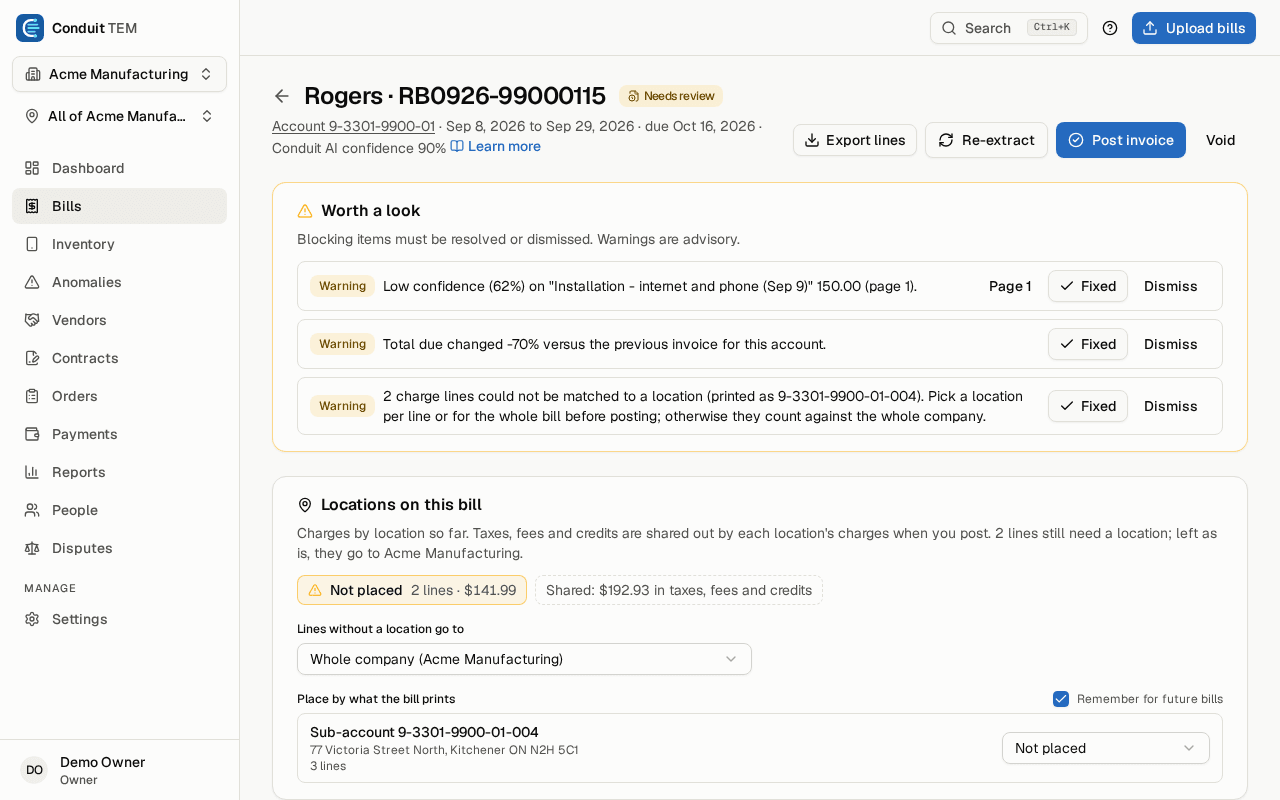
- Check what Conduit AI read, fix anything it got wrong and place charges in the right location. Clean bills from trusted senders can post by themselves.
- English and French
- Bills printed in French by Canadian carriers are shown in English, with the carrier's own wording one click away.
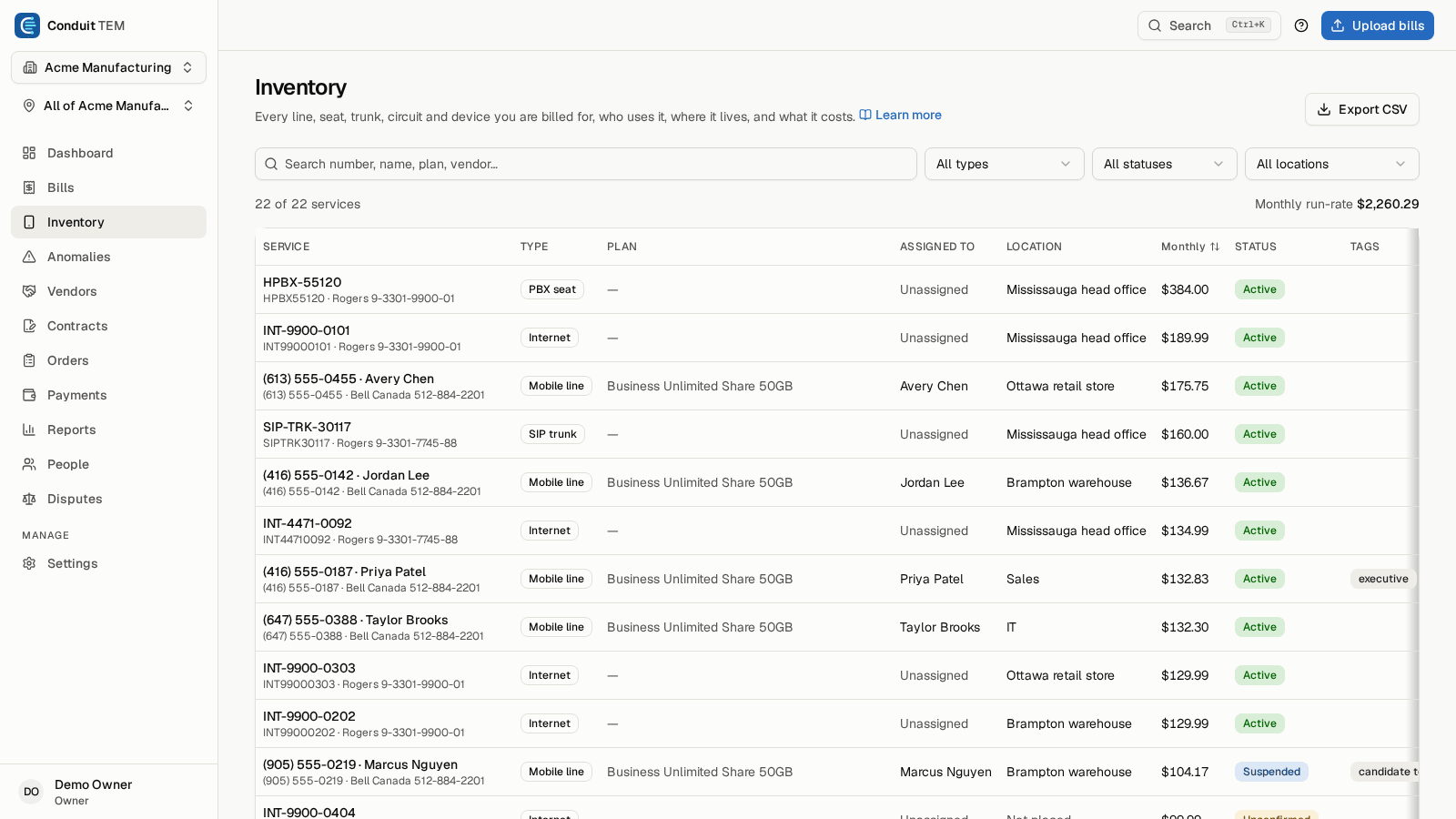
An inventory built from your bills
Every line, seat, trunk, circuit and device you pay for, who uses it, where it is and what it costs, kept current by each new bill.
- Company structure
- Locations, divisions and cost centres, so every bill line lands in the right place and anyone can see spend for their part of the company.
- People and their lines
- Import people from HR or a phone-system extension list, link them to their lines, and catch lines still billed after someone leaves.
- Vendor accounts
- One page per carrier account with its spend trend, bills, services and open findings.
- Bring your history
- Import locations, inventory, past spend and contracts from Tangoe, Cimpl or spreadsheets, so trends and checks work from day one.
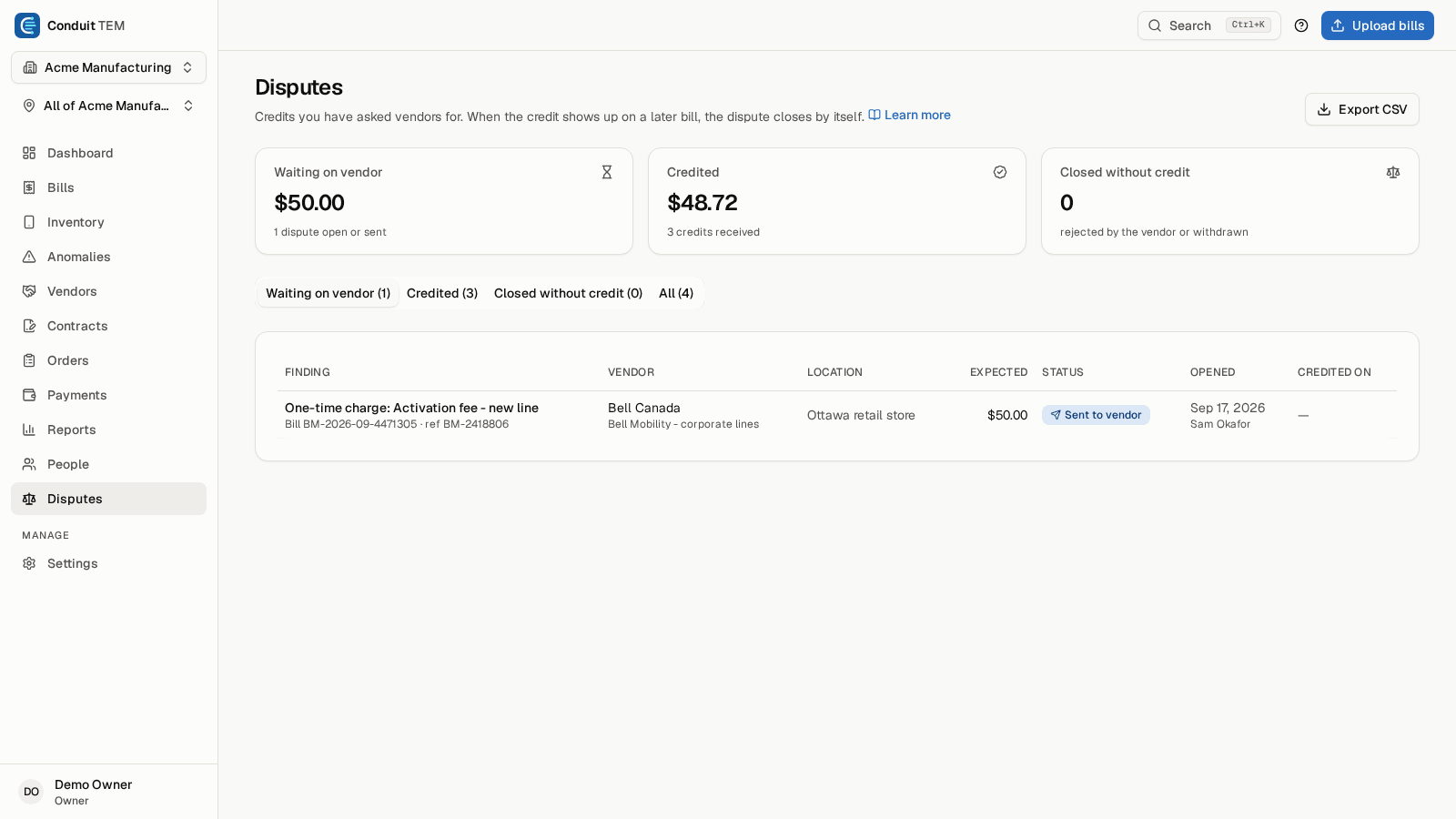
Findings, disputes and credits
Every posted bill goes through fifteen checks. Each finding shows its evidence and can be explained in plain language.
- Billing errors caught
- Cost spikes, new, duplicate, one-time, late and third-party charges, overage and roaming, unused lines, plan price changes, and lines still billed after a disconnect.
- Disputes through to the credit
- Ask the vendor for money back, track the dispute, and let the next bill confirm the credit by itself.
- Contracts and the rate check
- Conduit AI reads a signed contract PDF. Every bill is checked against your contracted rates, and you're warned before a notice deadline.
- Carrier orders
- Request a new line, an upgrade, a move or a disconnect, get it approved, and let the next bill prove it was done.
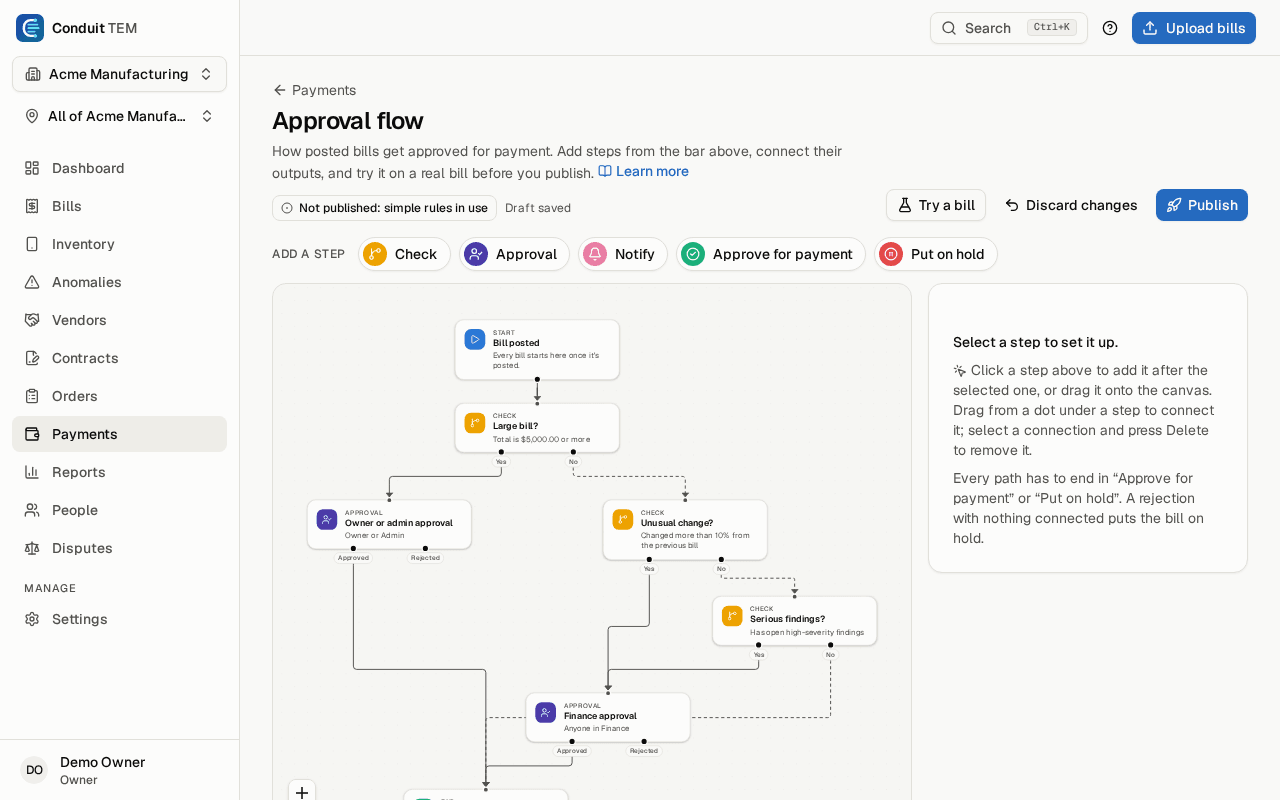
Approvals and the hand-off to accounts payable
Draw who approves which bills, test the flow on a real bill, and send approved bills to accounts payable.
- Approval flows
- Route bills by amount, vendor, location or findings, with reminders, escalation and time limits on each step.
- Cover while you're away
- Name someone to approve in your place between two dates, so bills keep moving.
- Routine bills approve themselves
- Set automatic approval for routine bills; anything unusual still waits for a person.
- From approved to paid
- Accounts payable gets the approved bill by email and records the payment date and reference.
GL coding, exports and budgets
Telecom bills that arrive in your books already coded.
- GL coding rules
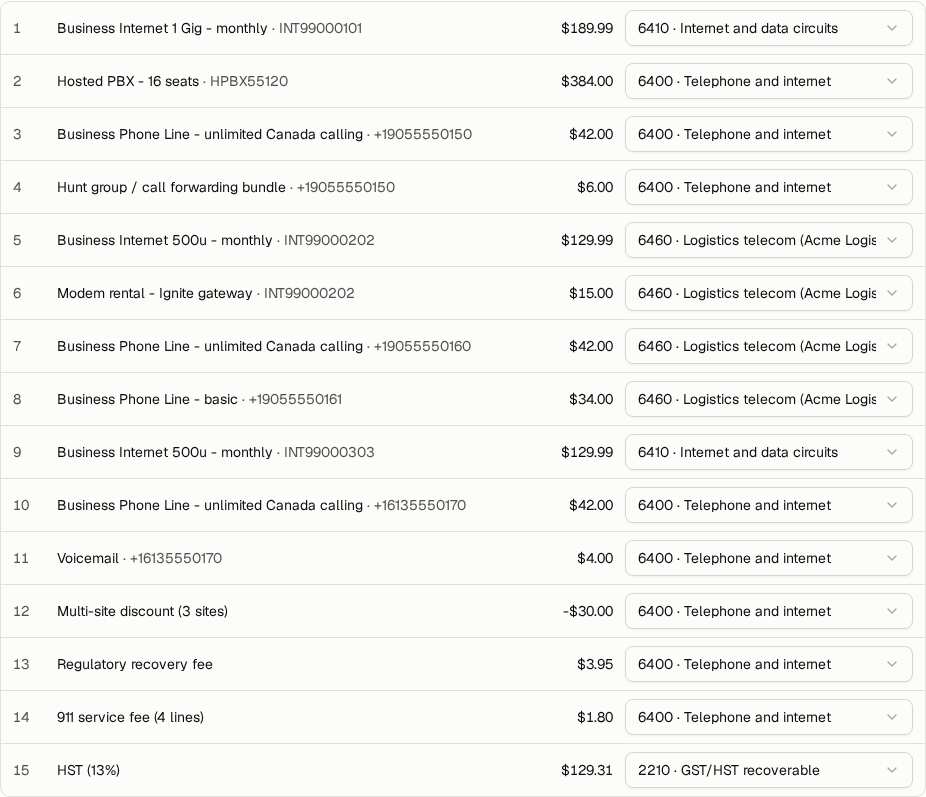
- Rules code every bill line to your chart of accounts when it posts; fix any line by hand.
- QuickBooks Online and Xero
- Download coded bills as an import file for QuickBooks Online or Xero, with locations as a Xero tracking category.
- The GL journal
- Amounts by GL account and location for a date range or a single bill, with taxes shown separately.
- Budgets
- Monthly budgets for the company, a location, a vendor or a GL account, with a forecast for the month and a warning before spend goes over.
Reports and client review decks
Answer the spend question in a few clicks, and walk into the review meeting with the deck already built.
- Ready-made and custom reports
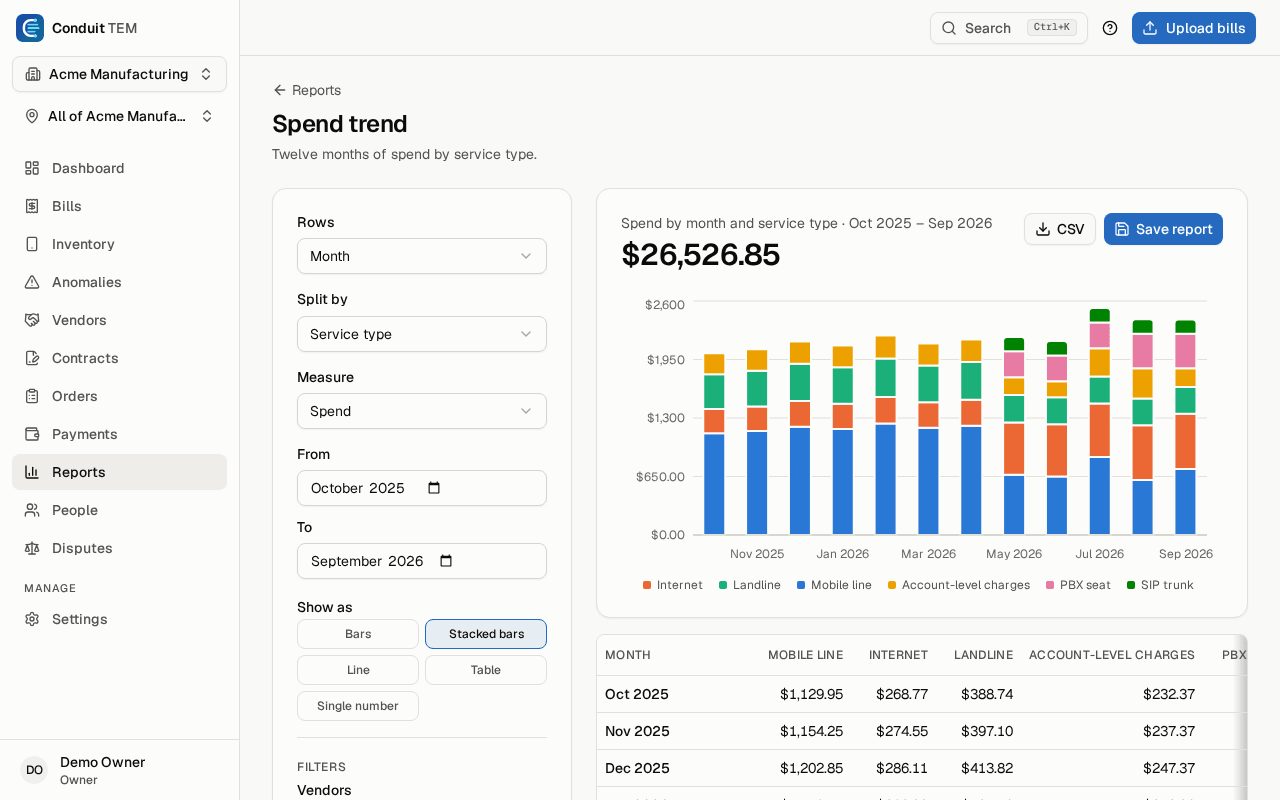
- Open a ready-made report or build your own from any mix of vendors, locations, people and months, as a chart or a table.
- Saved and scheduled
- Save reports for the whole team and email them on a schedule with the full table attached.
- Slide decks
- A monthly telecom review or a carrier business review deck that fills itself in. Present it, print it to PDF or download it as PowerPoint.
- Your data, exportable
- Every list exports to CSV, narrowed to what each person is allowed to see.
Employee self-service
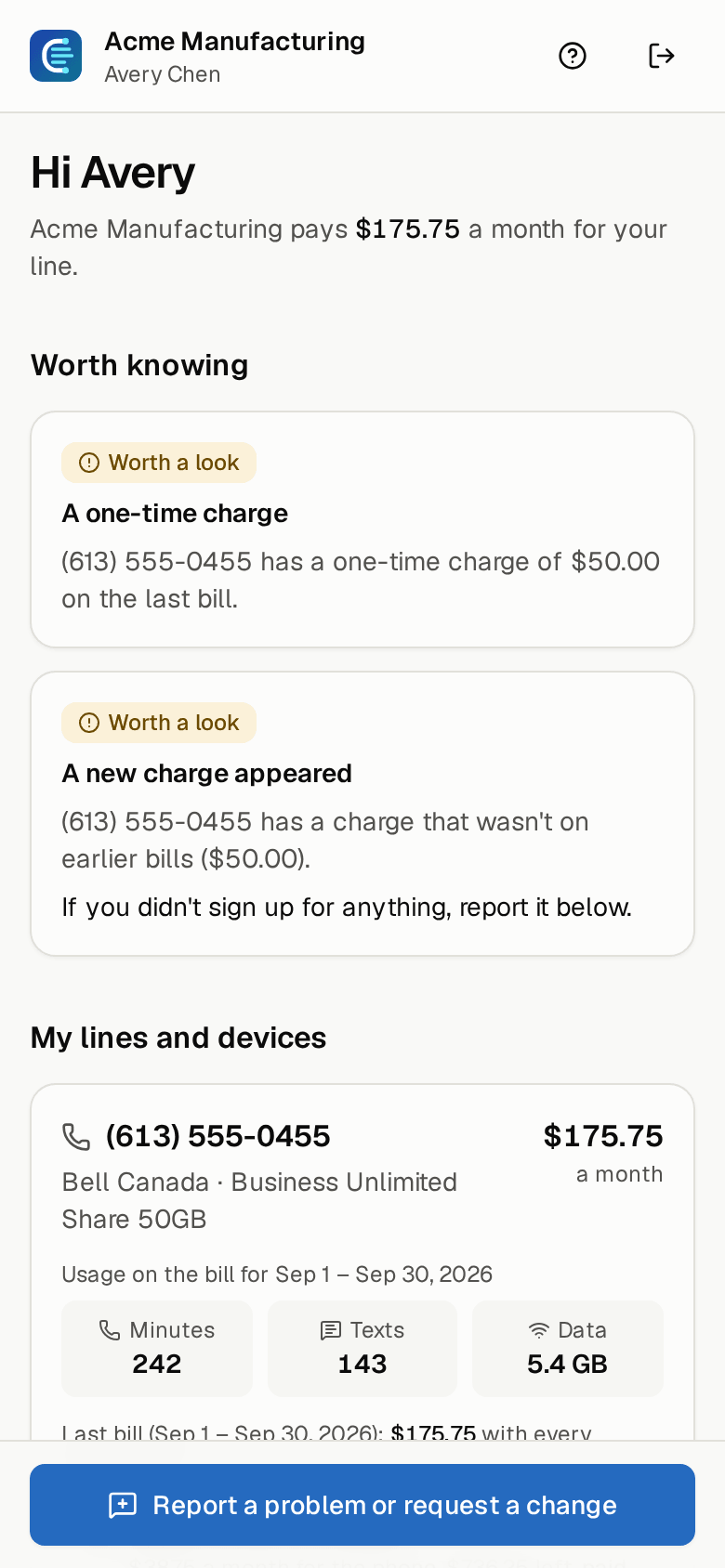
Employees see their own work phone and what it costs, on their phone, without an account to manage.
- Sign in with an emailed link
- No password to remember. Employees see their lines and devices, usage and cost.
- Ask for a change
- Report a problem or request a change straight from the line, and the request reaches your team.
- Managers see their team
- A manager gets a view of their team's lines and the outliers worth a conversation.
Security and control
Your organization's data is kept apart from every other customer's, enforced in the database itself.
- Five roles and scopes
- Owners, admins, finance, analysts and viewers, and analysts or viewers can be limited to one location or division.
- Two-step verification
- Authenticator-app codes with backup codes, required for every organization.
- Invitation-only
- Accounts are created by invitation only.
- An activity log
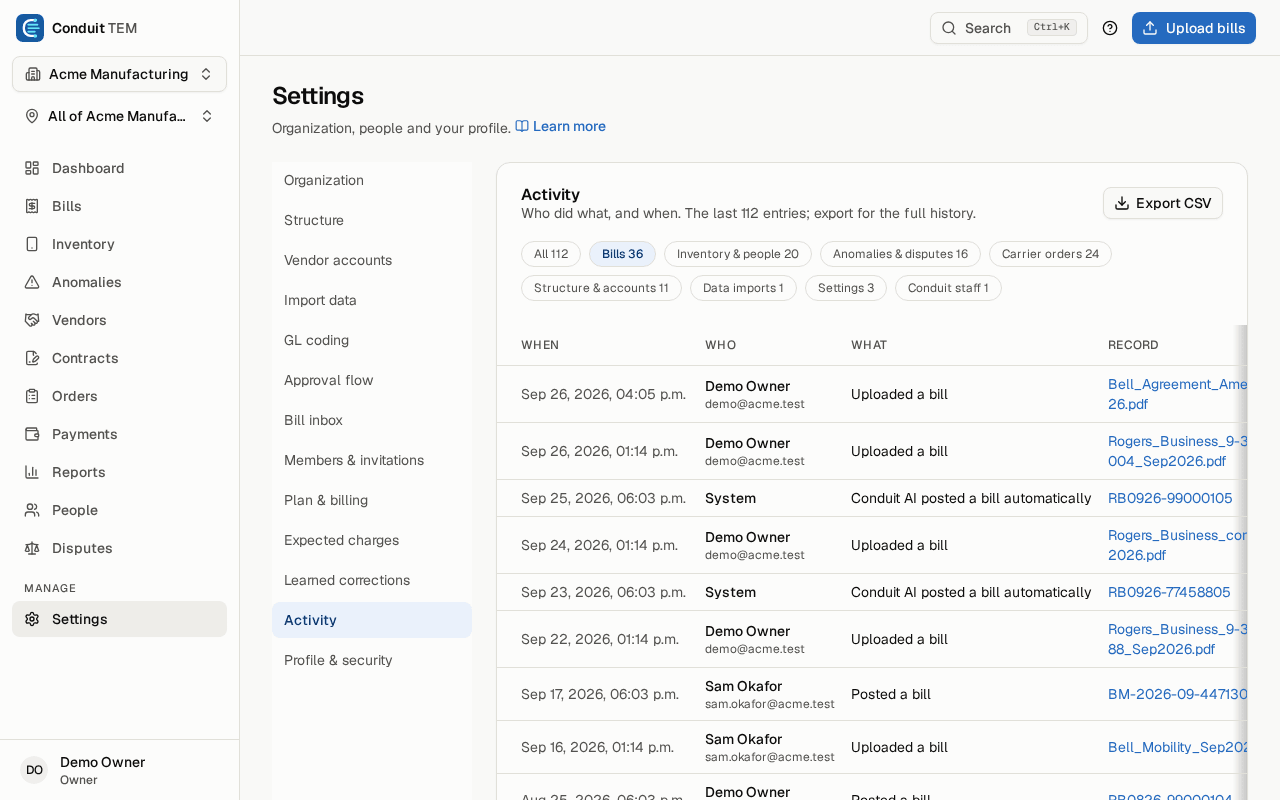
- Uploads, postings, invitations, role changes and settings changes, in plain language, ready to export.
See what we'd find on your bill. Free.
Upload one carrier bill. Conduit AI reads it, Conduit TEM's checks go over every charge, and we email you a link to what we found. No account needed.